I am having issues signing in with Apple (Potty Whiz)
Sign in with Apple is available on iPhone and iPad only. On an Android phone or tablet, see On Android below.
On iPhone or iPad
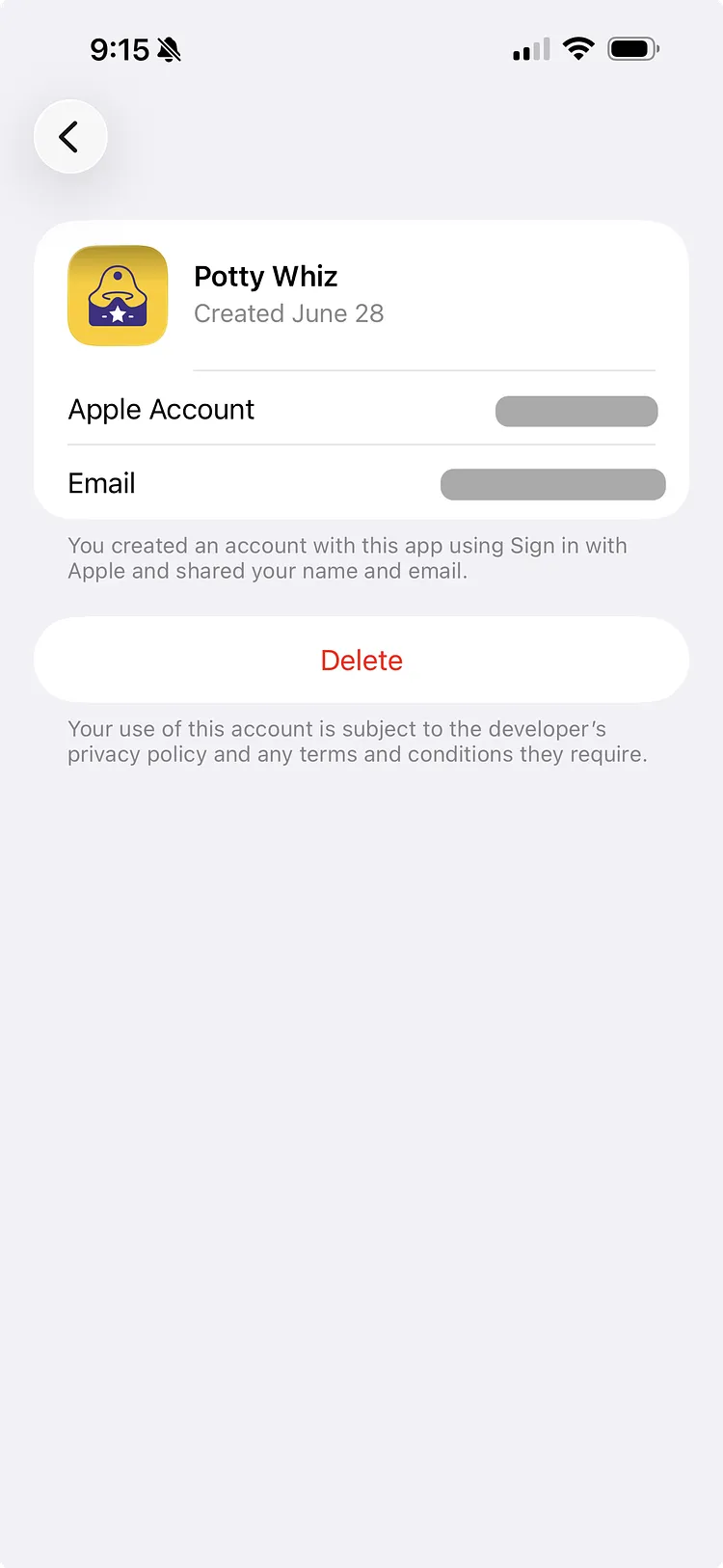
If signing in with Apple doesn't work, disconnect Potty Whiz from Sign in with Apple and try again. This does not delete your data from Potty Whiz.
- On your iPhone, go to Settings, then tap your name.
- Tap Sign in with Apple. On newer versions of iOS, it is under Sign-In & Security.
- From the list of Apps and Websites, find and select Potty Whiz.
- Tap the Delete button and select Stop Using to disconnect Potty Whiz from Sign in with Apple.
- Wait a few minutes, then try to sign in again with Apple.
On Android
If you created your account with Sign in with Apple, the surest way back into it is to sign in with Apple again, on an iPhone or iPad.
Potty Whiz on Android has no Sign in with Apple button. On Android, sign in with the email address your Apple ID shared with Potty Whiz, and you will be back in the same account, with your data and subscription:
- On the sign-in screen, enter your first name, last name and that email address, then tap Continue.
- Enter the 6-digit code we email you.
If that email is a Gmail address, you can also tap Sign in with Google and choose it.
If you chose Hide My Email
If you chose Hide My Email when you first signed in with Apple, your account uses an address Apple made up for Potty Whiz, ending in @privaterelay.appleid.com, not your own email. Signing in with your own email creates a new, empty account.
- Find the address: open Sign in with Apple on an iPhone, iPad or Mac, or at account.apple.com, and select Potty Whiz.
- On Android, sign in with that address, as above.
- If the code doesn't reach you within a few minutes, open Help, tap Contact us, and tell us the address.
If you signed in another way and don't see your data, see Accessing Your Original Account: Correcting Your Sign-In Method.