When your little one wakes up with a cough, a fever, or just that unmistakable look of feeling unwell, your first instinct is usually to make them feel better as fast as possible. In today’s world, that often means a telehealth visit—a video call with your pediatrician or a healthcare provider. While these virtual appointments are incredibly convenient, especially when you’re juggling a sick kiddo and a busy schedule, they can feel a little strange at first. You might wonder how a doctor can really tell what’s going on through a screen, or worry that you might forget to mention something important. Take a deep breath; with a little preparation, you can make sure your virtual visit is just as effective as an in-person checkup.
Gather Your Observations Before the Call
Doctors rely heavily on the information you provide during a telehealth visit, so having your observations organized beforehand helps them get a clear picture of what is happening. Instead of trying to recall details from memory during the stress of the appointment, take a few minutes to write down the timeline of your child’s illness.
- Write down exactly when the symptoms first started and how they have changed over time.
- Record any temperatures you have taken, noting the time and the reading.
- List every symptom you have noticed, even the small ones like a decreased appetite or mild fussiness.
- Note what your child has been eating and drinking, and how many wet diapers they have had or trips to the bathroom they have made.
- Keep a log of any medications you have already given, including the time and the amount, so you don’t have to guess later.
Set Up Your Technology and Environment
Technical glitches can eat up valuable time during your appointment, so it helps to check your setup a few minutes early. Ensure your device is charged, your internet connection is stable, and you know how to use the video platform your doctor requires.
- Test your camera and microphone to ensure the doctor can see and hear you clearly.
- Find a quiet, well-lit room where you can talk without too much background noise.
- Have your child nearby and dressed in loose clothing that is easy to move or remove if the doctor needs to see a rash or listen to breathing.
- Prop your phone or tablet up on a stable surface so you have your hands free to comfort your child or show the doctor specific areas.
- Keep a notepad and pen next to you to write down the doctor’s instructions during the call.
Be Ready to "Show and Tell"
During a physical exam, a doctor looks for specific clues, and while they can’t touch your child through the screen, they can guide you to help them look closer. Being ready to act as the doctor’s eyes and hands allows them to check things like breathing patterns or skin rashes effectively.
- Turn on a bright light or open window blinds to help the camera see your child’s skin tone or rash clearly.
- Position your child on your lap where they feel safe and comfortable for the camera check.
- Be prepared to gently move your child or adjust clothing if the doctor asks to see their throat, belly, or skin.
- Use the flashlight on your phone if the doctor needs a closer look inside your child’s mouth or throat.
- Stay calm and speak clearly so your child stays relaxed and the doctor can understand your observations.
Ask the Right Questions
It is easy to get flustered and forget what you wanted to ask once the appointment starts. Preparing a list of questions ensures you leave the call with a clear understanding of the next steps and when to seek further care.
- Ask the doctor to clarify any symptoms that seem concerning or new to you.
- Ask specifically what warning signs should prompt you to go to urgent care or the emergency room.
- Ask about the expected duration of the illness and what signs of improvement you should look for.
- Ask how to keep your child comfortable at home and what activities are appropriate while they recover.
- Ask if a follow-up appointment is necessary and when it should be scheduled.
Coordinate with Your Care Team
If you are co-parenting or have family members helping with childcare, it is vital that everyone is on the same page regarding the doctor’s instructions. Miscommunication can lead to missed doses or confusion about symptoms, so take a moment to share the plan.
- Share your notes from the appointment with your partner or the other adults caring for your child.
- Decide who is responsible for giving the next dose of any medication or checking the child’s temperature.
- Update your shared care log so everyone knows exactly what happened during the visit.
- Ensure everyone knows the specific warning signs that require immediate medical attention.
Take Care of Yourself, Too
Caring for a sick child is exhausting, and the stress of navigating a medical visit can leave you feeling drained. Remember that you are doing a great job, and taking care of your own well-being helps you be the best caregiver for your little one.
- Drink water and eat a snack while your child rests to keep your energy up.
- Reach out to a friend or family member if you need a break or someone to talk to.
- Trust your instincts and remember that you know your child better than anyone else.
Navigating your child’s illness is never easy, but being prepared can make the process feel much more manageable. By organizing your observations, setting up your space, and asking the right questions, you are ensuring your child gets the best possible care. Remember, you are your child’s biggest advocate, and your calm preparation makes a world of difference.
Quick Action Plan
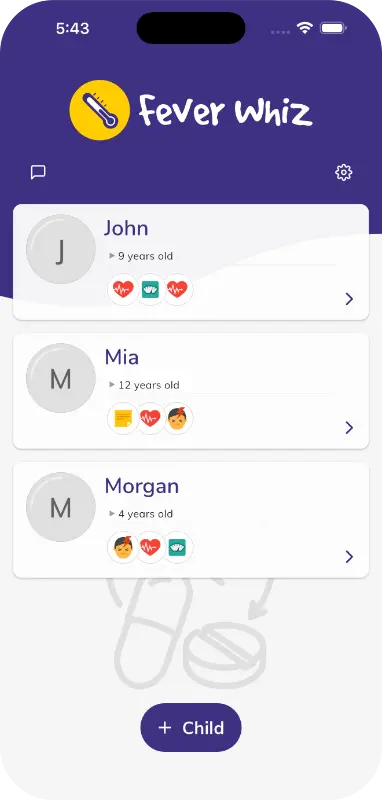
- Download a tracking app like Fever Whiz to log temperatures and medications before your call.
- Write down the timeline of symptoms and questions on a notepad.
- Test your internet connection and video camera ten minutes before the appointment.
- Find a well-lit, quiet spot and dress your child in loose clothing.
- Share the doctor’s instructions with your partner or care team immediately after the call.
Disclaimer: This content is for general educational and informational purposes only and does not constitute medical advice, diagnosis, or treatment. Fever Whiz is not a medical device. Always consult your pediatrician or a qualified healthcare professional for any health concerns, medication dosing, or treatment decisions. If you believe your child is experiencing a medical emergency, call emergency services immediately.
Suggestion: Check out the Fever Whiz app to help you stay organized during your child’s illness. It’s a free tool for parents and caregivers to log medications, temperatures, and symptoms; set custom reminders; visualize trends with charts; store important medical documents; and share a real-time care timeline with everyone caring for your child.